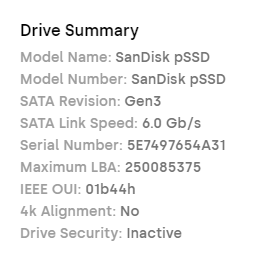
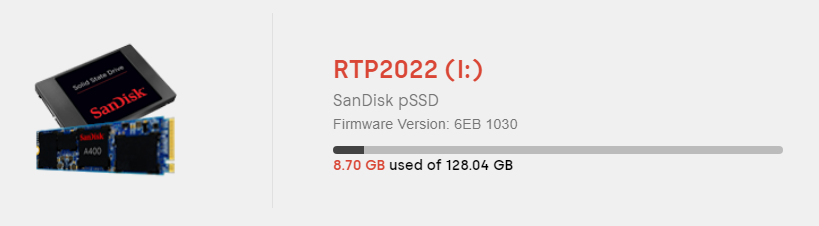
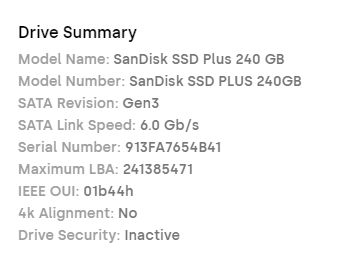
I have a weird one here. I just bought some more sandisk extreme pro flash drives because the 3 I bought last year are amazing and work great. I plugged in the new drive today to format with rufus and I kept getting format errors. I started looking closer at the drives in device manager and the new drives are showing up a SCSI Disk Device, while the old drives are USB Mass Storage. In Sandisk Dashboard the new drives show up as a 240GB SSD Plus. Are they shipping new drives with the wrong firmware? I’m so confused Sandisk.
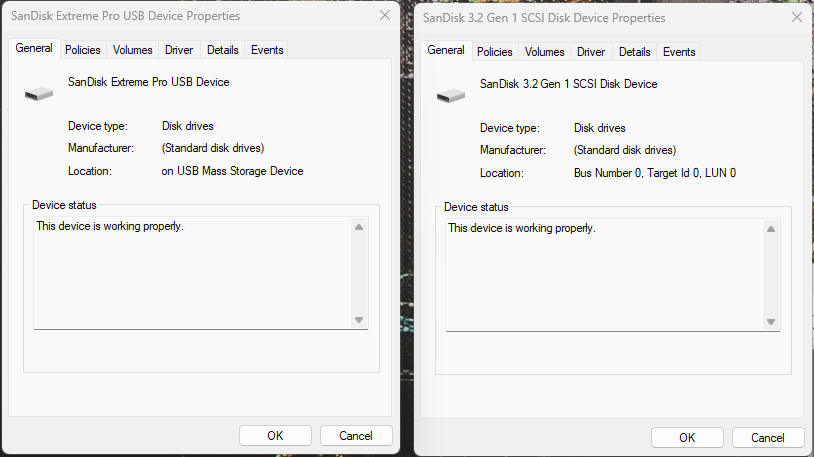

This normally happens with the drive get’s a controller update in order to achieve higher data transfer rates. e.g. SCSI (Fixed) Disk allows higher rates than “USB Mass Storage (Not Fixed). Also, SCSI (Fixed) Disk are NOT BOOTABLE which could be the cause of your formatting issue with Rufus.
The Sandisk Dashboard doesn’t support portable SSD so the drive and SSD may show up incorrectly.
1 Like
Windows sometimes shows new SSDs as “SCSI Disk Device” even if they are SATA. If Sandisk Dashboard sees it correctly, the drive is fine. For your flash drives, format errors happen if there’s old formatting. Just use Diskpart (diskpart > list disk > select disk X > clean) and then format again.
You have unfortunately purchased counterfeit (fake) drives. Genuine Extreme Pro drives will always show up in Device Manager as a standard USB mass storage device under the SanDisk name, never as an internal SSD Plus.
Counterfeiters put a budget SanDisk SSD Plus 240GB into fake Extreme Pro USB shells. Why did Rufus fail? Because the drive thinks it is a fixed internal solid-state drive (SCSI Disk Device) rather than a removable USB drive, Rufus blocks or fails the standard formatting process. Rufus heavily restricts writing to fixed SCSI disks by default to prevent users from accidentally wiping their computer’s actual boot drive. If you want further proof, run a free tool like H2testw or ValiDrive. Fake drives like this are often “spoofed” to show a higher capacity in Windows, but will fail and overwrite data as soon as you pass their actual physical limit. Read also: How to Tell a Fake SD Card and How to Fix & Recover
