[HELP] Lost Data from SanDisk 256GB SD Card After Switching Between FujiFilm XT5 & XT4
Hi everyone,
I filmed videos with my FujiFilm XT5 using a SanDisk 256GB SD card. Later, I inserted it into a FujiFilm XT4 (without recording), and then connected it to my PC. Suddenly, 92GB appeared used, but the card looked empty. I tried:
PhotoRec: didn’t recover anything meaningful.
DMDE: found a ~92.5 GB exFAT partition with potential MOV files (currently scanning).
Previously, users have mentioned success with tools like PhotoRec and Recuva on SanDisk cards, especially with scenarios like formatting or lost files.
Has anyone faced a similar issue—especially involving SanDisk SD cards and FujiFilm cameras—and successfully recovered files? What programs and settings worked for you?
Looking forward to any advice or experiences—this data is extremely important.
Thanks in advance.
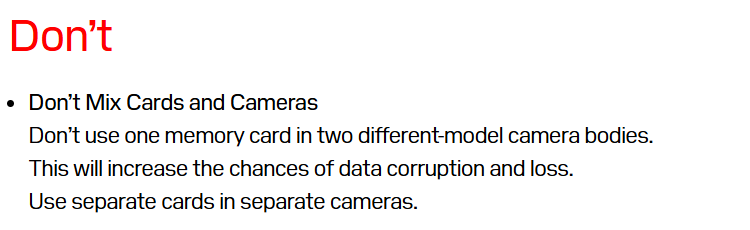
This usually happens because switching the SD card between two cameras (XT5 and XT4) can cause file system conflicts or hidden overwrites, making the data appear lost. Don’t record anything new on the card, as that could overwrite the videos. Instead, run a recovery tool like Stellar Photo Recovery or similar software to scan the SD card. These tools can restore lost or invisible video files and recover them in their original format.
Restart your computer, reconnect the SD and see if the files will show up. Also, repair the SD card using Windows CHKDSK command, this is particularly effective in identifying and repairing minor file system errors or corruption on SD cards.
If the files still do not appear, try using other data recovery software to perform a deep scan of the SD card and see if they can find any recoverable files. In most cases, if the files are listed in the scanning results, they are very likely to be recovered successfully. (Also read - Recover SD Card: Memory Card Data Recovery Software and Fixes )
Switching your card between an XT5 and XT4 is a recipe for file system conflicts—one camera might not “see” what the other wrote, or it might accidentally overwrite hidden data headers. Stop shooting immediately so you don’t bake over the remaining data!
Instead, run a scan with a solid tool like EaseUS Data Recovery Wizard. It’s a powerhouse alternative to Stellar and is specifically tuned to reconstruct fragmented video files that cameras often leave behind. Just point it at the SD card, let it do a deep scan, and you should be able to pull those “invisible” clips right back
Tools like EaseUS Data Recovery Wizard or PhotoRec aren’t really doing anything special for Fujifilm files. This feels more like a file system issue caused by switching between Fujifilm X-T5 and Fujifilm X-T4, not just fragmented videos.
The good part is DMDE already sees that ~92GB of data, so your files are very likely still there.
At this point, I wouldn’t keep jumping between tools. Stick with something solid like Stellar Photo Recovery, it’s generally more consistent with cases like this and handles corrupted file systems pretty well. When it comes to SD card it is found more consistent at restoring video files.
And most important, don’t use the card or run multiple scans on it, that’s where things can go wrong.